My portfolio · eLearning example
Software Demos
ApproachWalking sales and recruiting through the software they work in every day
More examples
iHeartMedia needed walkthroughs of the software their sales and recruiting teams work in every day. Before building anything I went into each environment and completed every step myself, writing down where I had to guess, then took that list back to the client. Most of the callouts in the finished demos started as something that stopped me on the first pass. I cast the voice-over for both.
The Salesforce demo covers the account record. It opens the EverString panel on a business, where recent news about that company arrives automatically alongside its contacts and media spend. The match runs off the web address, so a callout on that screen tells sellers to make sure the website URL on the record is correct before they trust what comes back.
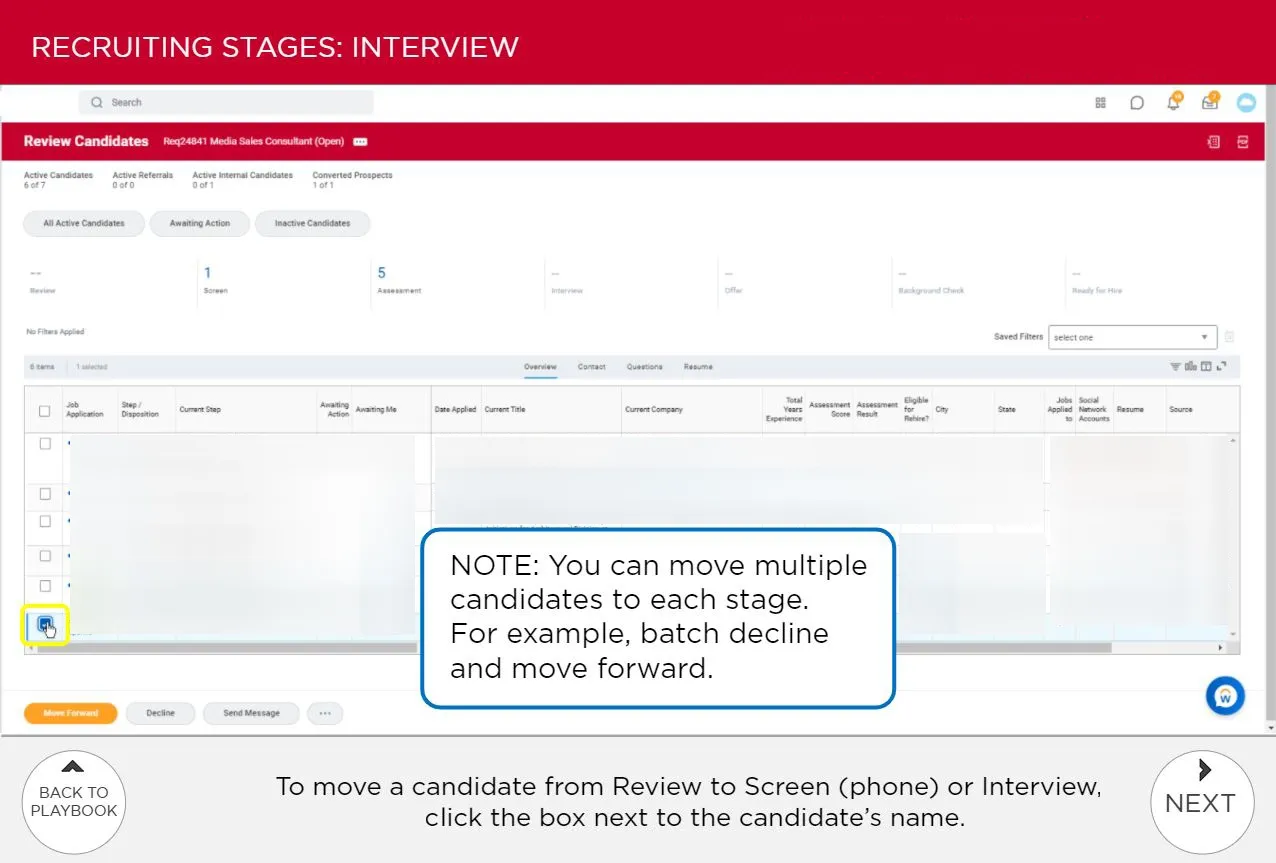
The other demo sits inside iHeartMedia’s sales recruiting playbook and moves a candidate along the hiring stages in Workday — screen, assessment, interview, offer, background check. The click targets are small, so the demo zooms in and rings the one that matters: a checkbox beside a candidate’s name, with the instruction spelled out under the screen.
A note on the same screen adds what the interface doesn’t say — the checkboxes take more than one candidate at a time, so a recruiter can batch-decline instead of working down the list one by one. Every screen has a way back to the playbook, so someone who came for that one step can take it and go.
- Tools
- Articulate Storyline · Software simulation · Screen capture · Voice-over casting